Word Weekend Letters & Worlds
Brightika, Inc.Word
4.9218.00 Reviews
- Version
- 1.3.5
- Installs
- 5.00M
- Age Rating
- Everyone
Screenshots
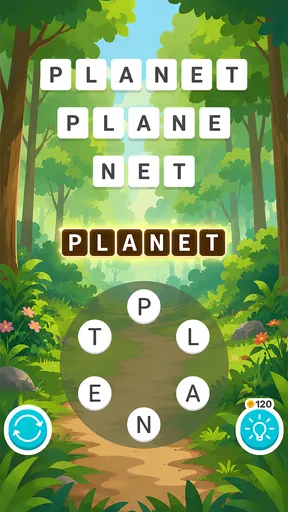
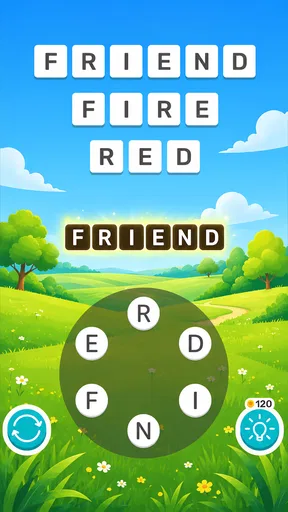
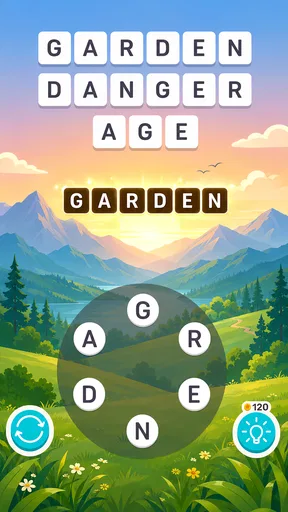
Our Review of Word Weekend Letters & Worlds
 Analysis by Appyee
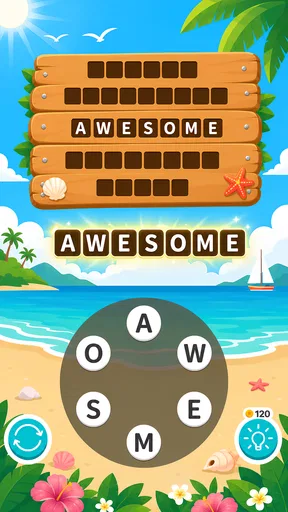
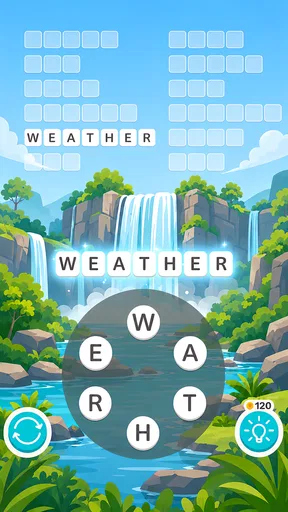
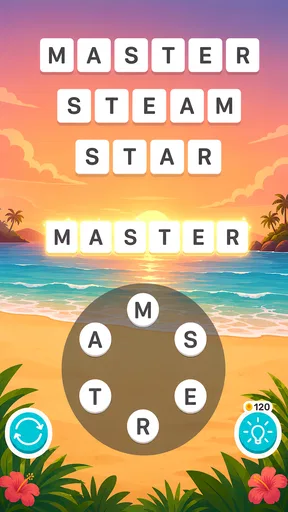
Word Weekend Letters & Worlds is the kind of word game I open when I want a quiet few minutes rather than a complicated gaming session. Its basic idea is easy to understand: solve word challenges, keep moving through the available content, and enjoy the small satisfaction of spotting a word that was hiding in plain sight. I found the presentation approachable, and the short store summary, “Guess all words!”, describes the central appeal without making the game sound more complicated than it is.
What makes it worth considering is the combination of a free entry point, an Everyone content rating, and a very low barrier to starting. Brightika, Inc. has positioned it as a casual word title rather than a demanding strategy game. In my experience, that makes it suitable for a commute, a waiting room, or a short break at home. It is also the sort of game that can appeal to different ages, although younger players may still need help with unfamiliar vocabulary depending on the puzzle.
The important question is not whether it can keep someone occupied for a few minutes; most word games can do that. The better question is whether its pace, stability, and puzzle rhythm make it comfortable to return to. My overall impression is positive, but it comes with a clear qualification: this is best for players who enjoy a relaxed guessing routine, not for someone looking for a deep word-learning tool, a competitive multiplayer experience, or a game with a large amount of strategic variety.
How the game feels during ordinary play
I find the game easiest to judge by watching what a few ordinary minutes actually ask of me: notice the available letters, test a word, and adjust when it does not fit. That simple rhythm is useful when I want a small mental break without committing to a long challenge. It also makes the difference between a satisfying quick session and a puzzle that calls for more patience.
A quick start with a familiar word-game rhythm
The strongest part of the experience is how quickly I can understand what I am supposed to do. There is no need to learn a complicated control scheme or study a long tutorial before making progress. The focus stays on letters and possible words, which means the game is accessible even when I am tired or only half paying attention.
That simplicity also affects perceived speed. A word game like this does not need elaborate loading sequences or complex interaction to feel responsive. When a puzzle is ready and the letter input behaves as expected, the experience feels immediate because every action has a clear purpose. I can make a guess, reconsider the remaining possibilities, and continue without the mental overhead found in larger games.
I particularly like this format for short sessions. If I have five minutes before leaving the house, I can play without feeling that I am abandoning a long mission halfway through. The same structure works during a longer break, but the game does not demand a large uninterrupted block of time. That makes it more practical than many word titles that build their appeal around lengthy daily challenges or elaborate progression screens.
There is a trade-off, though. The accessible design may feel too lightweight for experienced word-game fans who want advanced vocabulary, unusual rules, or a strong competitive layer. Players who prefer crossword-style deduction may also find a guessing-focused format less satisfying because the mental process is different. This is a casual word game first, and I would not choose it as a replacement for a serious crossword app or a full vocabulary trainer.
What happens when I play for longer
Longer sessions reveal the main performance question: not whether the game can launch, but whether repeated puzzle solving remains comfortable. Word games usually place less pressure on a device than visually demanding action titles, and this one fits that general expectation from its straightforward design. I would expect it to be easier on a phone than a game built around constant animation, large environments, or real-time competition.
That does not mean every phone will feel identical. An older device may take longer to open the game or switch between screens, while a newer phone should generally make the transitions feel less noticeable. The difference matters most when I am playing in short bursts. A delay of a few seconds before a quick session can feel more irritating than the same delay during a long game.
Heavy use is more likely to expose interruptions around the play session than the word solving itself. For example, moving repeatedly between the game and another app can make any title feel less fluid on a phone with limited available memory. If I am listening to music, receiving notifications, and switching between several apps, I would keep my expectations realistic. The game may remain perfectly usable, but the overall phone experience depends on the device and what else is running.
For that reason, I would avoid judging it solely by a single launch. A better test is to open it several times throughout the day, play a few puzzles each time, and see whether returning feels consistent. That is also a useful routine for anyone deciding whether the game belongs on a smaller or older phone. If the opening delay becomes the main part of a short session, the title loses some of its convenience even if the puzzles themselves are enjoyable.
Stability and the practical meaning of recovery
Reliability matters more than flashy presentation in a game built around small, repeatable sessions. I want the current puzzle to remain understandable when I pause, leave the app, or return after dealing with a message. I also want mistakes to feel like part of the game rather than the result of a confusing interface. The simpler the session, the more visible any interruption becomes.
My practical advice is to treat the game as a casual activity that benefits from a clean restart when something feels unusual. If a screen takes longer than expected, I would first close other demanding apps, check that the phone has enough free space for normal operation, and reopen the game. These are sensible steps for any mobile title, but they are especially easy to follow here because the game does not require a complicated setup before play.
Recovery is also about the player’s progress and expectations. I would not begin a puzzle immediately before an important appointment if losing a few minutes would be frustrating. Instead, I would use it when I can tolerate a brief interruption. That is not a criticism unique to this title; it is simply a sensible habit for mobile games when the exact behavior after an interruption can vary by device, operating-system memory management, and the way the app was left.
The game’s age rating makes it comfortable to consider for a broad household audience, and the free price makes trying it comparatively easy. Still, free does not always mean completely frictionless. Optional purchases range from $1.99 to $48.99 per item, so I would review any purchase prompt carefully and use device-level purchase controls if children share the phone. That is one of the most useful precautions for a family device, especially when a game is easy to open and designed for frequent short sessions.
Device limits and version considerations
The minimum operating-system requirement is Android 7.0 or later, which gives the game a reasonably broad range of compatible Android devices. Compatibility alone does not guarantee identical performance, however. A phone that technically meets the requirement may still have limited memory, an older processor, or a crowded storage drive. Those factors can influence startup time and how smoothly the app returns after being placed in the background.
The current version is 1.3.5, so I would keep the app updated when an update is available through the normal store process. Updates can matter for stability, compatibility, and small interface issues even when the visible gameplay remains familiar. At the same time, I would not expect an update to transform a basic word game into a different genre. The core appeal remains the simple act of finding and guessing words.
Resource demands are likely to be more manageable than those of a graphics-heavy game, but I would still avoid making absolute claims about battery use or memory consumption across every phone. Screen brightness, background apps, network conditions, and the device’s age can make a larger difference than the game alone. On a compact or older phone, the most noticeable limitation may be the size of the letters and controls rather than raw performance.
This is where the game’s intended audience helps. Someone using a recent everyday phone probably does not need to think much about hardware before trying it. Someone using a phone with an older operating system should check compatibility first, and someone with very limited storage should consider whether installing another casual title is worthwhile. If the device already struggles with ordinary app switching, I would choose a lighter, browser-based word activity instead.
Three ways I would get more from it
First, I would play with a deliberate “easy pass” habit. Instead of forcing one stubborn answer, I would scan the available letters, enter the words that come naturally, and return to the harder possibilities afterward. This keeps the session moving and reduces the frustration that can make a relaxed word game feel like work. It also helps reveal patterns that are easy to miss when I focus too narrowly on one answer.
Second, I would use the game as a vocabulary conversation starter rather than assuming every unfamiliar word is a lesson. If a word surprises me, I would look it up after the session or ask another player whether they know it. That turns a few minutes of guessing into a small learning opportunity without pretending that the title replaces a dedicated dictionary or language course.
Third, I would separate phone-performance problems from puzzle difficulty. If the game feels slow, I would test it after closing background apps before deciding that the title is inherently demanding. If the interface is responsive but the puzzles feel difficult, that is a content issue rather than a device issue. Making that distinction helps me decide whether I need a different phone setup or simply a different kind of word game.
A fourth useful habit is to keep purchase decisions separate from puzzle momentum. When I am stuck, the desire to continue can make an optional purchase feel more urgent than it really is. I would pause, try a fresh session later, or use the remaining letters more methodically before spending anything. The free starting price is a genuine advantage, but it should not encourage rushed purchases.
How it compares with familiar alternatives
Compared with a crossword app, Word Weekend Letters & Worlds is more approachable when I want quick guesses instead of clues that require sustained deduction. Crosswords usually reward broad knowledge and careful interpretation, while this format is better suited to recognizing possible words from a limited set of letters. I would choose a crossword when I want a longer mental workout and this game when I want a gentler reset.
Compared with a competitive word game, it is a better fit for players who do not want timers, live opponents, or the pressure of proving a score. The drawback is that it may feel less exciting to someone who needs rivalry to stay engaged. Competitive alternatives can create a stronger sense of urgency, while this title’s calmer pace is precisely what makes it useful during ordinary downtime.
Compared with a vocabulary-learning app, it offers a more playful route into words but less structured instruction. I would not rely on it to build a language curriculum, track formal progress, or explain every unfamiliar term. Its value is in repeated exposure, recognition, and the small reward of solving a puzzle. For a learner who wants pronunciation, definitions, and planned lessons, another category would be more suitable.
Its broad audience is reflected in the Everyone rating, while its popularity is visible in an average rating of 4.9 from around 64 thousand ratings and more than 5 million installs. Those figures suggest that the simple format has reached a substantial audience, but they do not remove the personal question of fit. A highly rated casual word game can still feel repetitive to someone who wants deep strategy or a more demanding challenge.
Who should install it, and who should skip it
I would recommend giving it a try if you enjoy word puzzles, prefer short sessions, and want something that does not require learning a large ruleset. It is especially suitable for a shared family phone because the content rating is Everyone and the basic idea is easy to explain. Adults who enjoy quiet, low-pressure games may also appreciate that it can fill small gaps in the day without taking over the schedule.
I would be more cautious if you dislike guessing games or become frustrated when a word does not come quickly. The title is not the right choice for someone seeking a story-driven adventure, detailed competitive rankings, or a robust educational system. I would also skip it on a device below Android 7.0, and I would think twice on a phone that already struggles with ordinary app switching.
Players concerned about spending should remember that the game is free to start, while optional items are priced from $1.99 to $48.99 each. I would keep the free experience separate from the decision to buy anything. If the puzzle loop is enjoyable without purchases, that is a good sign. If progress only feels satisfying when I am considering a purchase, I would stop and reassess whether this is the right casual game for me.
My performance verdict after weighing the trade-offs
My main takeaway is that the game’s performance appeal comes from modest expectations and a focused design. It is not trying to be a visually ambitious mobile production. Its strength is that word solving can fit into short breaks, and that usually means less pressure on the device than a demanding action or multiplayer title. On a compatible phone in normal condition, I would expect the experience to feel appropriately light and straightforward.
That judgment should not be confused with a promise of identical behavior on every handset. Older hardware, low storage, heavy background activity, and frequent app switching can still create delays or interruptions. The sensible approach is to try a few short sessions, keep the operating system compatible, and close unnecessary apps if returning to the game feels sluggish.
Brightika, Inc. has made a free word game that is easy to approach and broad enough for casual use. The 2017 release date gives it a longer presence than a brand-new experiment, while version 1.3.5 is the version I would look for when installing it. I like it most as a small daily diversion: something to open while waiting, to share with a family member, or to use when I want my phone to offer a puzzle rather than another stream of notifications.
In the end, Word Weekend Letters & Worlds is a sensible recommendation for relaxed word-game fans who value accessibility and short sessions over complexity. I would install it for casual guessing, keep purchase choices deliberate, and judge it on a device-by-device basis rather than expecting identical speed everywhere. If that balance sounds right, its free starting point makes trying it a reasonable decision.
Verdict
Strengths of Word Weekend Letters & Worlds
- Relaxing word puzzles suitable for short daily play sessions.
- Gradually increasing difficulty keeps the game engaging.
- Simple controls make it accessible for most players.
- World-themed progression adds variety beyond individual puzzles.
- Helpful hints can prevent players from getting stuck.
Limitations of Word Weekend Letters & Worlds
- Some later levels may feel repetitive after extended play.
- Hint systems may be limited unless players watch ads or pay.
- Small screens can make letter selection less comfortable.
- Progress may depend on an active internet connection.
- Players seeking competitive multiplayer may find it lacking.
Other Releases by Brightika, Inc.
View All
Save the Bro 2
Adventure4.3

Factory: Idle & Tycoon Game
Strategy4.3
Similar Picks in This Category
View All
Word Search - Word Puzzle Game
Bluetile4.8

Word Search Quest - Puzzles
Blackout Lab4.8

CodyCross: Crossword Puzzles
Fanatee, Inc.4.7

Words of Wonders: Crossword
Fugo Games4.9

Wordscapes: Word puzzle game
PeopleFun4.7

Word Search Explorer
PlaySimple Games4.9
Frequently Asked Questions
What is Word Weekend Letters & Worlds?
Word Weekend Letters & Worlds is a casual word puzzle game built around creating words from a limited selection of letters. As you progress, you solve increasingly challenging levels and unlock new worlds or themed stages. It is designed for short play sessions, making it suitable for relaxing during a weekend, commuting, or whenever you want a light mental challenge without complicated controls.
How do you play Word Weekend Letters & Worlds?
Each puzzle presents a group of letters that you must combine to form valid words. You generally tap or swipe across the available letters, depending on the device and game interface, then submit your answer. Some solutions are required to advance, while additional words may provide bonus progress. The game gradually introduces more difficult combinations, so vocabulary and careful letter observation become increasingly important.
Does Word Weekend Letters & Worlds work offline?
The core word puzzles may be playable without a constant internet connection, which is convenient for travel or areas with limited coverage. However, certain features can require online access, including advertisements, cloud synchronization, updates, leaderboard functions, or in-app purchases. For the most reliable experience, open the game online at least once after installation and check whether your progress is saved correctly.
Is Word Weekend Letters & Worlds free to download?
Word Weekend Letters & Worlds can generally be downloaded and played for free, but the free version may include advertising or optional in-app purchases. These purchases can potentially provide hints, remove ads, or support faster progress, depending on the version available in your region. Before confirming any transaction, review the store listing and purchase settings, especially if children may use the device.
Is Word Weekend Letters & Worlds suitable for children and beginners?
The game is approachable for beginners because its basic mechanic is easy to understand and does not require fast reflexes. It can also encourage spelling, vocabulary recognition, and concentration. Nevertheless, difficulty varies by level, and younger players may encounter words they do not know. Parents should review the game’s advertising, privacy information, and optional purchases before allowing unsupervised play.
Play our best games!


